
Fiber Connector Cheat Sheet
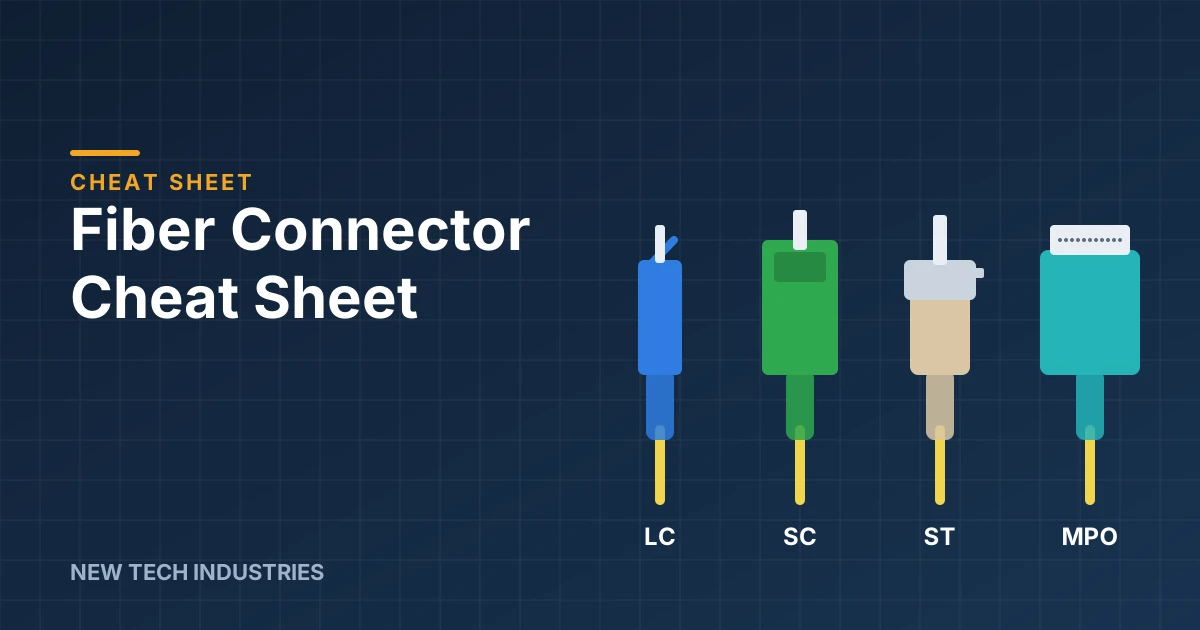
Fiber connectors look like a bowl of alphabet soup: LC, SC, ST, FC, MPO. Pick the wrong one and your shiny new patch cord becomes a very expensive bookmark.
This cheat sheet covers the connectors you'll actually run into, how to tell them apart at a glance, what the colors mean, and the mistakes that cause the most return trips to the supply house. Bookmark it, print it, tape it inside the van door. We won't judge.
The cheat sheet
| Connector | Ferrule | How it latches | Where you'll see it |
|---|---|---|---|
| LC (Lucent Connector) | 1.25 mm | Push-pull with a latch tab | Data centers, switches, SFP transceivers, high-density panels |
| SC (Subscriber Connector) | 2.5 mm | Push-pull, square snap-in | FTTH, PON, telecom, older enterprise panels |
| ST (Straight Tip) | 2.5 mm | Bayonet, push and twist | Legacy multimode, campus and industrial networks |
| FC (Ferrule Connector) | 2.5 mm | Threaded screw-on | Test equipment, telecom, high-vibration spots |
| MPO / MTP | Multi-fiber (8, 12, 16 or 24) | Push-pull | 40G/100G/400G links, data center trunk cables |
| MT-RJ | Two-fiber | RJ-45-style latch | Older installs; mostly retired |
Meet the family
LC: the popular kid. It's half the size of an SC, so twice as many fit on a panel. If you're plugging into a modern switch or SFP optic, odds are it wants LC. Usually sold as a duplex pair clipped together.
SC: the reliable workhorse. That chunky square body pushes in and clicks. It's still everywhere in fiber-to-the-home and PON networks, often in green (more on colors below).
ST: the classic. Push it in, give it a twist, done, like a BNC connector. You'll mostly find it in older multimode installs on campuses, factories and government buildings. If the building has a payphone, there's probably ST in the closet.
FC: the one that screws on. The threaded coupling won't shake loose, which is why test gear and high-vibration sites like it. It takes longer to connect, so it lost the popularity contest in patch panels.
MPO/MTP: the multi-lane highway. One connector carries 8 to 24 fibers, which makes it the backbone of high-speed data center links. MTP is a brand-name version of MPO, and the two are generally compatible. Watch the pins: one side must be male (pinned) and the other female, and the polarity type has to match.
MT-RJ: the retiree. Small and clever in its day, but you'll mostly meet it when replacing it.
What the colors are telling you
The connector's color tells you the fiber type and the polish on the end face. The polish matters more than most people think.
UPC (Ultra Physical Contact) has a slightly domed, flat-faced end. It's the standard for most data and Ethernet links.
APC (Angled Physical Contact) is polished at an 8-degree angle, so reflected light bounces into the cladding instead of back down the fiber. That's why it's used in FTTH, PON and RF video, where reflections cause trouble.
| Connector color | Usually means |
|---|---|
| Blue | Single-mode, UPC polish |
| Green | Single-mode, APC polish |
| Beige | Multimode, OM1 or OM2 |
| Aqua | Multimode, OM3 or OM4 (laser-optimized 50 µm) |
| Violet | Multimode OM4 (some manufacturers) |
| Lime green | Multimode OM5 |
Cable jackets follow a similar code: yellow for single-mode, orange for older multimode (OM1/OM2), aqua for OM3/OM4, and lime green for OM5. Colors are a strong hint, not a guarantee, so always check the print on the jacket.
How to pick the right one
The right connector is whatever both ends already use. Before you order, work through four questions:
- What's on each end? Look at the switch port, optic or panel. Need to go LC to SC? Grab a hybrid patch cord. Don't try to force it.
- Single-mode or multimode? Single-mode (yellow jacket) covers long distances and most carrier work. Multimode (orange or aqua) handles shorter runs inside buildings. They don't mix.
- UPC or APC? Match the polish exactly: blue to blue, green to green.
- Simplex or duplex? Simplex is one fiber. Duplex is two, one to transmit and one to receive, and it's what most network gear wants.
Mistakes we see all the time
- Plugging APC into UPC. The angled and flat faces only touch at an edge. You get high loss at best and scratched end faces at worst. Green never meets blue.
- Skipping the cleaning. Dirty end faces are one of the most common causes of fiber link trouble. A single speck of dust can block a single-mode core. Inspect and clean every time, even on brand-new cords.
- Mixing single-mode and multimode. The link might light up, but it won't run right. Check the jacket print.
- Getting MPO gender or polarity wrong. Two pinned connectors can't mate properly, and a polarity mismatch means transmit talks to transmit. Confirm both before you order trunks.
- Buying by color alone. Use the jacket print and spec sheet to confirm.
Shop the gear
- Fiber connectors and fiber adapters
- Patch cords: single-mode, multimode LC, multimode SC and multimode ST
- LC-LC patch cords in stock
- MPO kits and fiber pigtails
- Fiber cleaning supplies, because every connector needs cleaning before it goes in
Still not sure? Ask us
New Tech Industries has supplied telecom, network and fiber products to installers since 1982. If you send us a photo of the port or tell us what's on each end, we'll help you find the right patch cord, connector or adapter, so you only make one trip. Browse fiber products at newtechindustries.com or give us a call.